For agent and environment builders
Render your agents' PPTX files to PNG and PDF, in Python on Linux. Ten times faster than LibreOffice.
A PNG preview of every slide and a PDF of the deck, each in half a second, with no PowerPoint and no LibreOffice. And a verdict on whether the deck is broken, with no model in the loop.
Same 20 decks, same machine, 150 DPI. Measured before the speed work that halved our time again.
Two outputs, each in half a second
Pictures
- One PNG a slide, at the resolution you ask for
- 97 ms a slide on a single core
- For a vision judge, a thumbnail, a diff
- A real PDF: text can be selected, shapes are vectors
- About 0.08 MB a slide
- For reading, archiving, text extraction
And a verdict with every deck
Three slides written with python-pptx, two defects planted. Graded in under 20 ms.
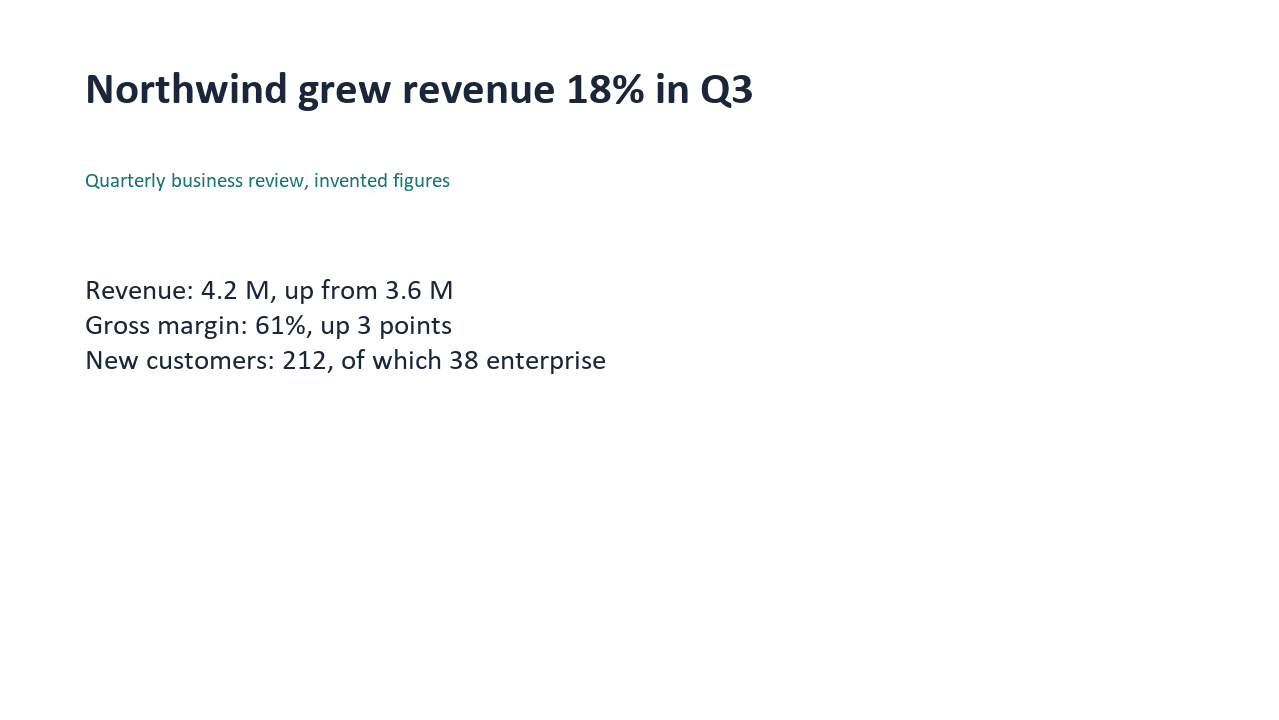 1.0
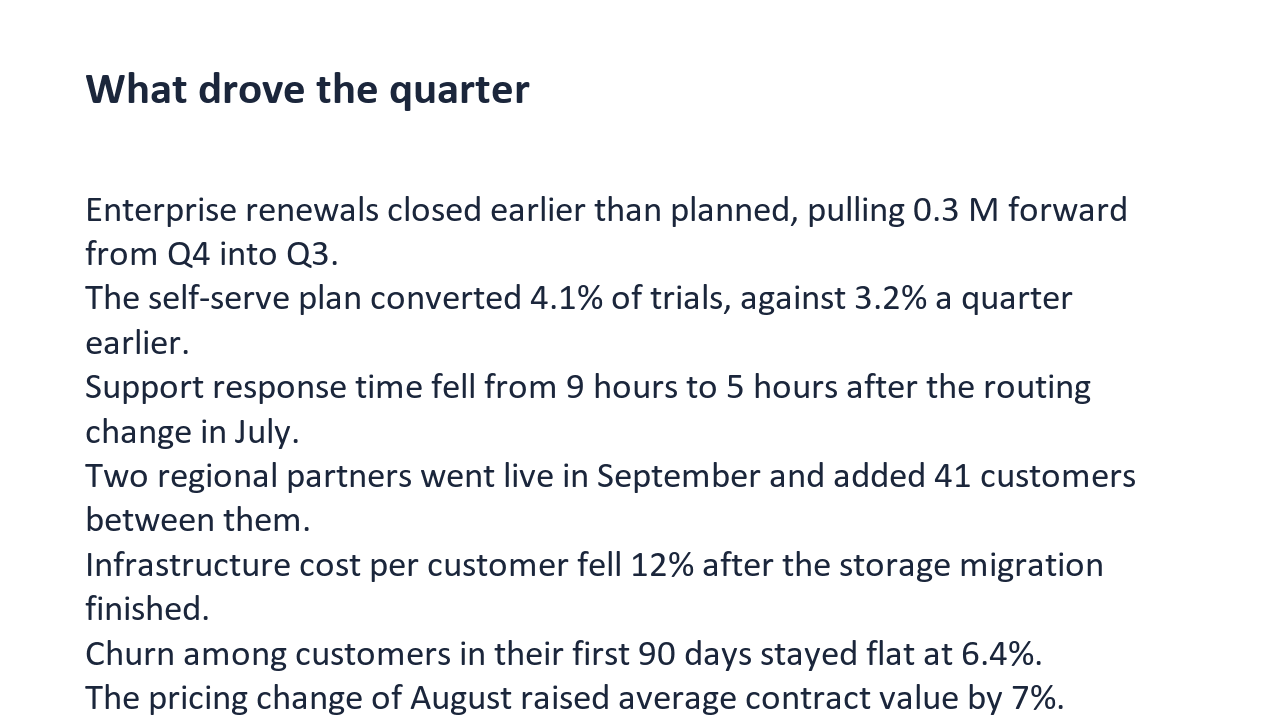
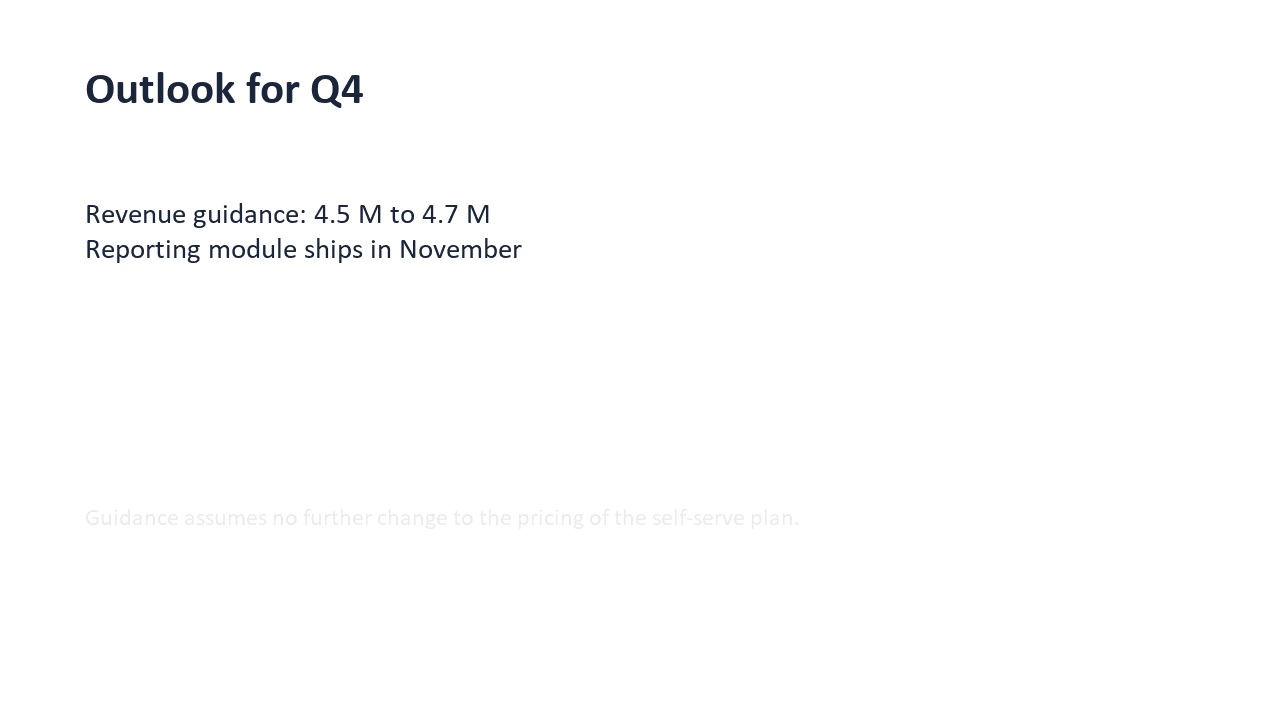
text_overflowlow_contrastSee the report as returned
{
  "status": "failed",
  "slides_total": 3,
  "verdict": {
    "policy": "usable-v2",
    "pass": false,
    "score": 0.333,
    "failed_on": ["low_contrast", "text_overflow"],
    "weak_on": []
  },
  "slides": [
    { "i": 0, "score": 1.0 },
    {
      "i": 1,
      "score": 0.0,
      "findings": [
        {
          "code": "text_overflow",
          "severity": "error",
          "message": "text runs off the bottom of the slide by 2.5\": \"Enterprise renewals closed earlier t\"",
          "remedy": "shorten the text, move the box, or split the slide",
          "shape_id": 3
        }
      ]
    },
    {
      "i": 2,
      "score": 0.0,
      "findings": [
        {
          "code": "low_contrast",
          "severity": "warning",
          "message": "1.2:1 contrast (#E9ECEF on #FFFFFF) in \"Guidance assumes no furt\" — WCAG AA needs 3.0:1",
          "remedy": "darken the text or lighten the fill",
          "shape_id": 4
        }
      ]
    }
  ]
}
Pictures by our renderer, report by our checks. The red markers were added on this page from the findings. On 22 test decks, clean and broken, all 22 were graded correctly.
Two ways to run it
The package: on your own hardware
not a download today- Pictures, PDF, verdict and findings in one call
- Needs python-pptx, Pillow, lxml, reportlab and numpy; no office suite
- No network after install, typefaces pinned
- Licensed by the year, at the prices below
Today: your own deck, hosted
live · $0.01 a pager = requests.post(
"https://api.slideforge.dev/v1/draw",
headers={"Authorization": "Bearer sf_live_YOUR_KEY"},
json={"pptx_base64": deck_b64, "inspect": True},
).json()
pictures, pdf = r["pictures"], r["pdf"] # fetch with your key
verdict = r["report"]["verdict"]
reward = verdict["score"] if verdict["pass"] else 0.0Pictures, PDF and verdict in one call, $0.01 a page; a page as PNG and PDF counts once. The verdict alone is free. Also an MCP tool. 30 calls an hour, decks up to 25 MB and 50 slides. This call is for trying it on your own decks, on our shared servers. The speeds on this page are the renderer on your own hardware, as you would run it under a licence. Reference
The package, priced by the year
One flat price a year, however many decks you draw. The first licences go to those who ask.
Inside your company
Draw and check decks on your own servers and in your own pipelines.
Inside your product
Ship it in an app or an image your customers install or host themselves.
Environment vendors
Millions of runs, a pinned release with its typeface list, terms agreed by mail.
Free to try. Without a licence the package draws every deck and puts a small mark on each picture.
Ask for the packageWhat it does not do
- Not PowerPoint, pixel for pixel. SmartArt and a few chart and arrow kinds are placeholders.
- No taste score. A plain deck that works scores 1.0, like a designed one.
- No task check. Whether the right figures are on the slide stays your check.
- No guessing. Text over photos is reported as not covered, never passed or failed.
- Not attacked by outsiders yet. We closed the holes we found. A pilot is where we want yours.
Is this you?
- Tasks end in a .pptx written with python-pptx, JavaScript or a template
- You draw decks with LibreOffice today, and wait for it
- Thousands to millions of episodes, and the same result wanted on every one
- Agents make slides as HTML or as pictures
- A handful of decks looked at by hand
- You need a score for how good a deck looks
How the figures on this page were measured
- Against LibreOffice: 419 slides of 20 decks from five AI deck products, one machine, November 2026. LibreOffice headless, one process per deck, PPTX to PDF to PNG at 150 DPI, its container's start not counted. Ours to pictures at 150 DPI.
- Deck times, pictures and PDF: the compiled package as it ships, 809 slides of 40 decks on a 16-core desktop, in an empty Linux container with the network off, at 150 DPI; pictures on all cores. On one core a slide takes 97 ms as a PNG file, 51 ms before the PNG is written.
- To PDF on the board, before the PDF speed work: LibreOffice 202 ms a slide, ours 87 ms. A 20-slide PDF took us about 2 s then and takes 0.48 s now.
- The board: 947 decks and 6,207 slides, five renderers, PowerPoint's own export as the reference, structural similarity at 800 pixels wide.
- The checks: 22 test decks, clean ones and ones with a planted defect, every one graded correctly and every report identical on a second run.
Ask for the package
Seven questions. We answer by mail with the licence terms, and with the package as soon as its first release is out.
Building an agent that hands decks to people? Start with the agent page.