
Code-mode toolkit
The same board-grade widgets, chart primitives, and python-pptx helpers the engine uses — exposed to mode=code via add_widget(). Discover them on REST with GET /v1/widgets and GET /v1/helpers (both free, no auth).
GET /v1/components catalog (the SQL component-spec list) is 410 Gone (retired 2026-06-14) — the component-spec render is gone. For code-mode building blocks use /v1/widgets + /v1/helpers; for ready-made slide patterns use GET /v1/catalog.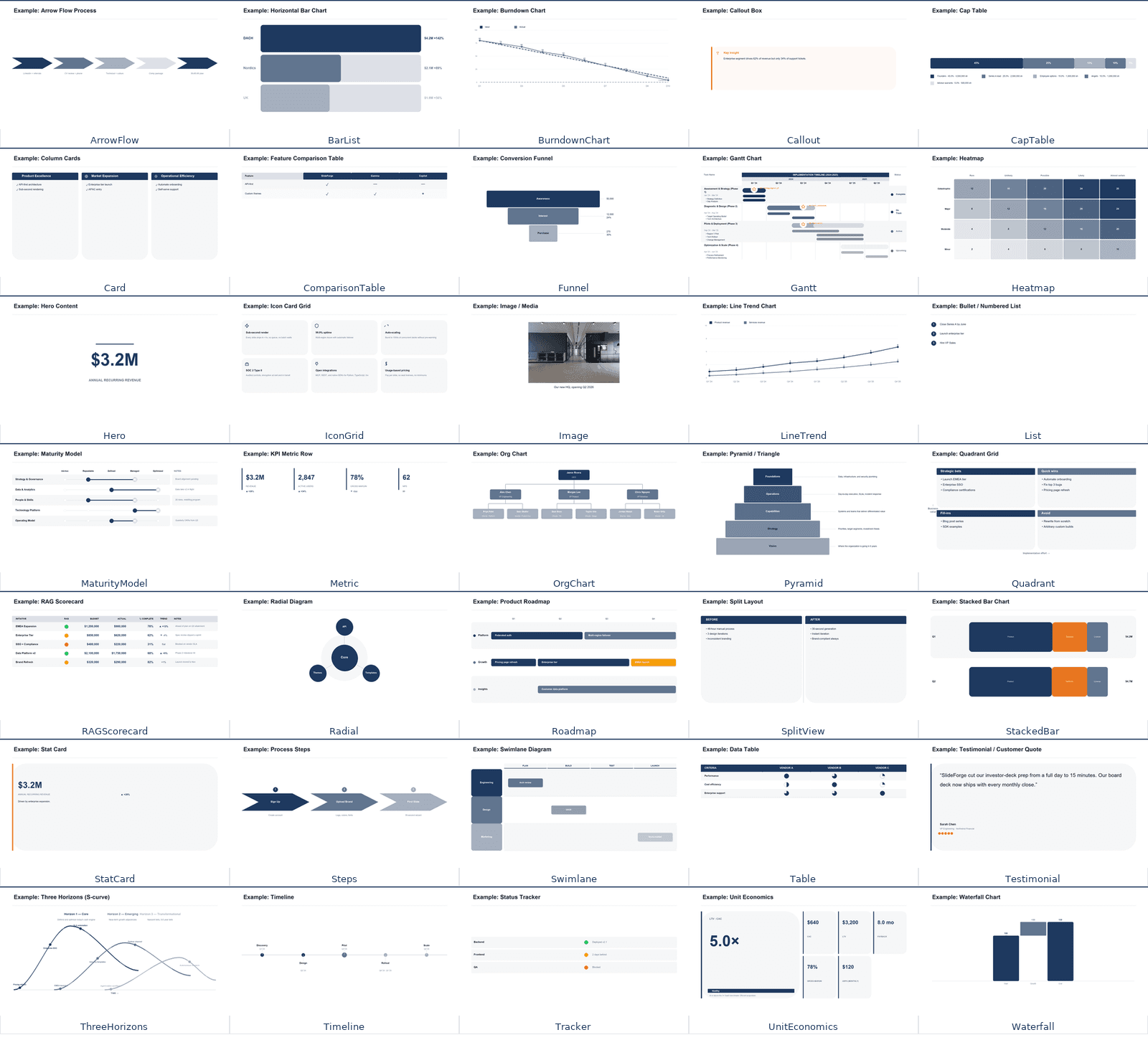
The widget + chart-primitive library (26 widgets + chart primitives), rendered at preview size.
GET /v1/widgets
The 26 widgets + chart primitives drawable via add_widget() in mode=code. Returns a grid (every name + a one-liner) by default; pass ?name=<widget> for the full contract — param/content schema and a worked example. REST mirror of MCP browse_catalog(type=widgets).
# Grid of every widget + chart primitive (one-liner each)
curl https://api.slideforge.dev/v1/widgets

# Full contract for one widget — param/content schema + worked example
curl "https://api.slideforge.dev/v1/widgets?name=waterfall"
What the toolkit covers
metrics
Metric, StatCard, UnitEconomics
charts
BarList, BurndownChart, CapTable, Funnel, Heatmap, LineTrend, StackedBar, Waterfall
content
Callout, Hero, Image, List, Testimonial
diagrams
MaturityModel, OrgChart, Pyramid, Quadrant, Radial, Steps, ThreeHorizons, Timeline
layouts
Card, ComparisonTable, IconGrid, SplitView, Table
process
ArrowFlow, Gantt, Roadmap, Swimlane
status
RAGScorecard, Tracker
GET /v1/helpers
Signatures + categories of the python-pptx helpers injected into the mode=code sandbox (add_text_box, add_box, add_icon, add_widget, …) plus the canvas notes. REST mirror of MCP browse_catalog(type=helpers).
# python-pptx helper signatures available inside the mode=code sandbox
curl https://api.slideforge.dev/v1/helpers
Use the toolkit in mode=code
Call add_widget(slide, "<name>", content=…) inside your build() function, then render via POST /v1/render/code. $0.05 per slide; a free dry_run validates first.
# Use the toolkit in mode=code — add_widget() draws a primitive
curl -X POST https://api.slideforge.dev/v1/render/code \
  -H "Authorization: Bearer sf_live_YOUR_KEY" \
  -H "Content-Type: application/json" \
  -d '{
    "code": "def build(prs, slide):\n    add_widget(slide, \"waterfall\", content={\"start\": 10.2, \"deltas\": [{\"label\": \"New\", \"value\": 2.1}, {\"label\": \"Churn\", \"value\": -0.8}]}, left=0.5, top=1.5, width=9, height=4)",
    "chrome": {"title": "Revenue Bridge"},
    "theme_id": "slideforge_standard",
    "verify": "lint"
  }'
Composition (inside patterns)
Many catalog patternscompose these primitives — SplitView's left/right and Card's cards[] hold nested panels (depth ≤2; Gantt, Swimlane, Timeline, Roadmap, OrgChart, ThreeHorizons, Testimonial are banned as nested children). Read the composition guide →